
Primary election ballots
Understand how primary election modes affect ballot requests and party selection.
In many elections, every voter receives the same ballot. Primary elections can be different.
Depending on the election rules in a particular state, voters may need to choose a political party's ballot before viewing candidates. In these elections, the races and candidates shown to a voter can vary depending on which party ballot they select.
The Ballots API exposes this information through the primaryMode field on the Election object.
Primary Modes
The primaryMode field describes how voters are expected to participate in a primary election.
PRIMARY_MODE_BY_PARTYAn open primary.
Candidates are grouped by party, but voters may choose any party ballot regardless of their voter registration.
PRIMARY_MODE_BY_PARTY_CLOSED_SEMIA semi-closed primary.
Candidates are grouped by party. Voters registered with a political party may only vote in that party's primary.
Independent voters may choose any party's ballot.
PRIMARY_MODE_BY_PARTY_CLOSEDA closed primary.
Candidates are grouped by party. Voters may only participate in the primary election for the party with which they are registered.
Independent voters cannot participate in any party primary.
PRIMARY_MODE_TOP_TWOA top-two primary.
All candidates appear together on a single ballot regardless of party affiliation.
After the election, the top two vote-getters advance to the general election, even if they belong to the same political party.
Because all voters receive the same ballot, no party selection is required.
Handling Party Selection
When requesting a ballot for a primary election, some election types require a party to be provided.
If a ballot request is made without a required party selection, the API returns a 400 Bad Request response.
The response includes a data.partyMissing flag and information about the available party options, allowing your application to prompt the voter to select a ballot.
Example Response
{
  "name": "BadRequest",
  "message": "Must provide a party or indicate nonpartisan for this election.",
  "code": 400,
  "className": "bad-request",
  "data": {
    "partyMissing": true,
    "stateCode": "GA",
    "partiesPresent": ["D", "R"],
    "parties": [
      {
        "key": "D",
        "name": "Democratic"
      },
      {
        "key": "R",
        "name": "Republican"
      }
    ],
    "primaryMode": "PRIMARY_MODE_BY_PARTY"
  }
}
A typical implementation flow is:
- Request a ballot using the voter's address.
- Check whether the response contains
data.partyMissing. - Present the available party options to the voter.
- Re-request the ballot with the selected party.
- Display the returned ballot.
Example Party Selection UI
Party selection UI should present the data.parties options returned by the API before loading the primary election ballot.
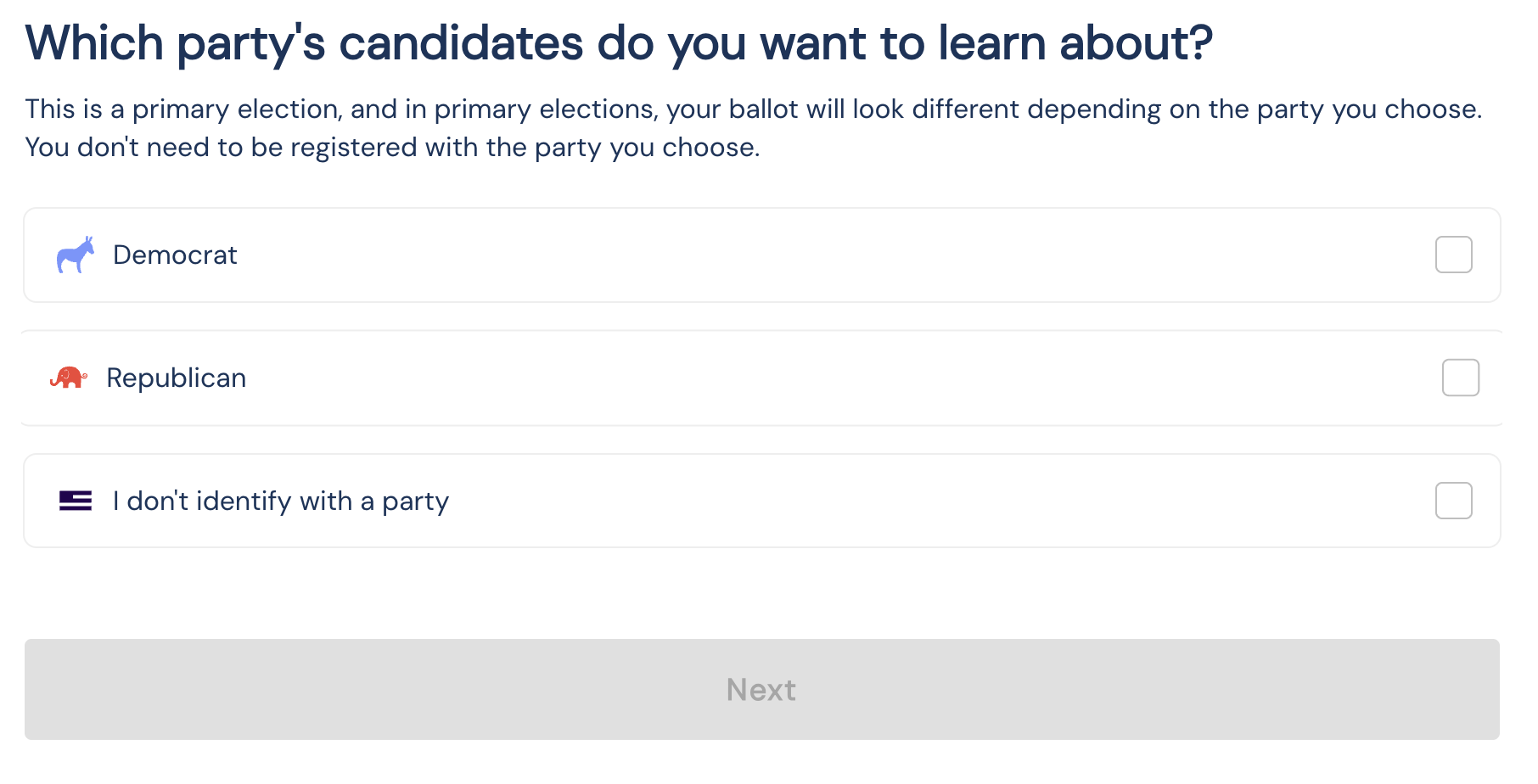
Once a party is selected, the Ballots API returns the races and candidates associated with that party's primary ballot.