
Display ballot content
Show races, measures, candidates, and related ballot content.
At this point, you've successfully retrieved a ballot using the Ballots API.
The ballot response contains everything needed to render a complete voter guide, including election information, races, and ballot measures. This guide walks through the most common ways organizations display that information.
UI Section 1: Ballot Metadata
One of the most important things you can do is remind voters why they are seeing a particular ballot.
Because ballot content is personalized to a voter's address, and sometimes their party selection, we recommend displaying a small summary near the top of the page.
Typical examples include:
- Voter address from
ballot.addressorballot.addressComponents.prettyStreet - Selected party ballot from
ballot.party
This information should be visible but unobtrusive. Displaying ballot scope helps voters understand that the content is personalized to them and builds confidence that they are viewing the correct ballot.
Example
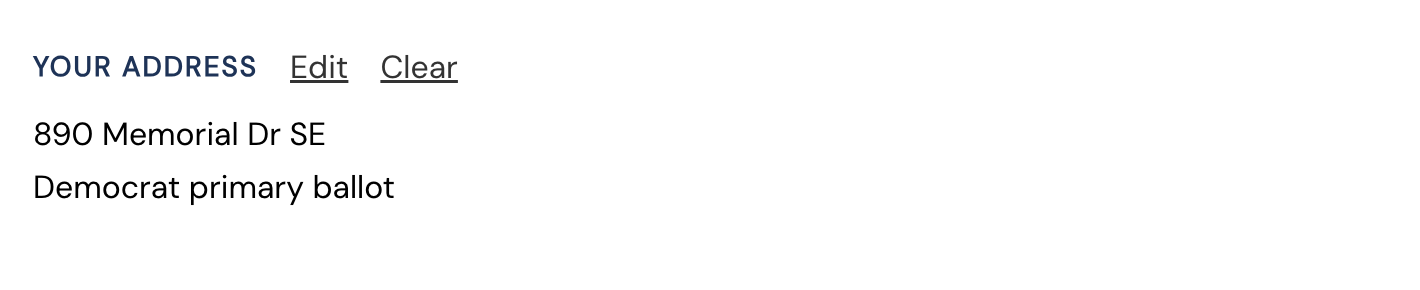
The ballot API response contains the information needed to render these details.
UI Section 2: Election Information
Election-level information can be found in ballot.election:
{
  "key": "ga-2026-primary-election",
  "name": "2026 Georgia Primary Election",
  "stateCode": "GA",
  "date": "2026-05-19T00:00:00.000Z",
  "electionType": "primary",
  "primaryMode": "PRIMARY_MODE_BY_PARTY",
  "partisan": true,
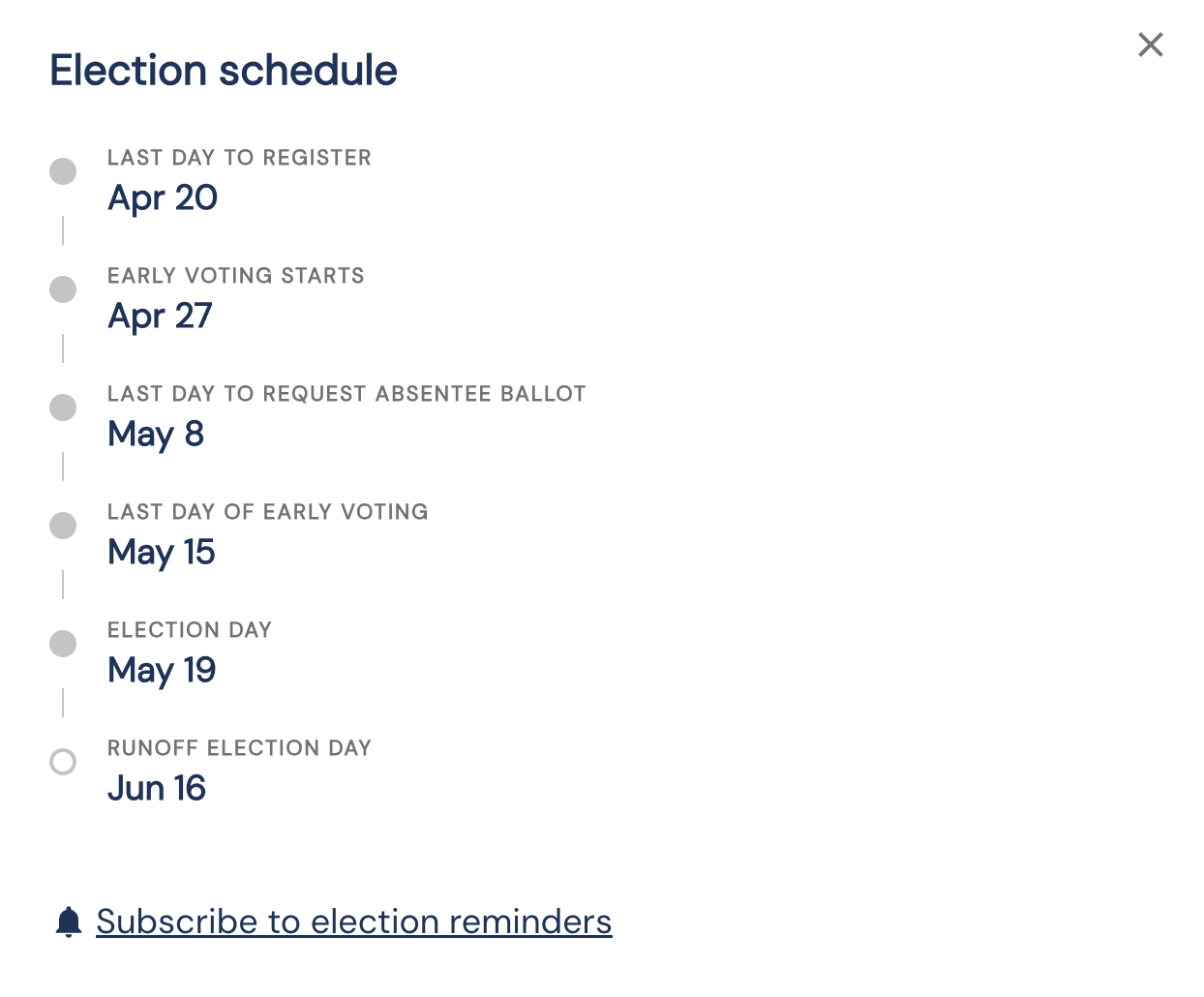
  "earlyVotingStart": "2026-04-27T00:00:00.000Z",
  "earlyVotingEnd": "2026-05-15T00:00:00.000Z",
  "voterRegistrationEnd": "2026-04-20T00:00:00.000Z",
  "absenteeEnd": "2026-05-08T00:00:00.000Z",
  "runoffDate": "2026-06-16T00:00:00.000Z",
  "electionDayDisclaimer": "Check your polling place and voting hours before Election Day.",
  "ballotContentDisclaimer": "Your ballot is based on the address and party selection provided."
}
This object contains a fully resolved election object, similar to the object returned by calling the Get election API.
We recommend prominently displaying:
- Election date from
election.date - Early voting dates from
election.earlyVotingStartandballot.election.earlyVotingEnd - Registration deadlines from
ballot.election.voterRegistrationEnd - Absentee or vote-by-mail deadlines from
ballot.election.absenteeEnd - Important election notices such as
ballot.election.electionDayDisclaimerorballot.election.ballotContentDisclaimer
Common UI Patterns for displaying dates
Election Information Banner
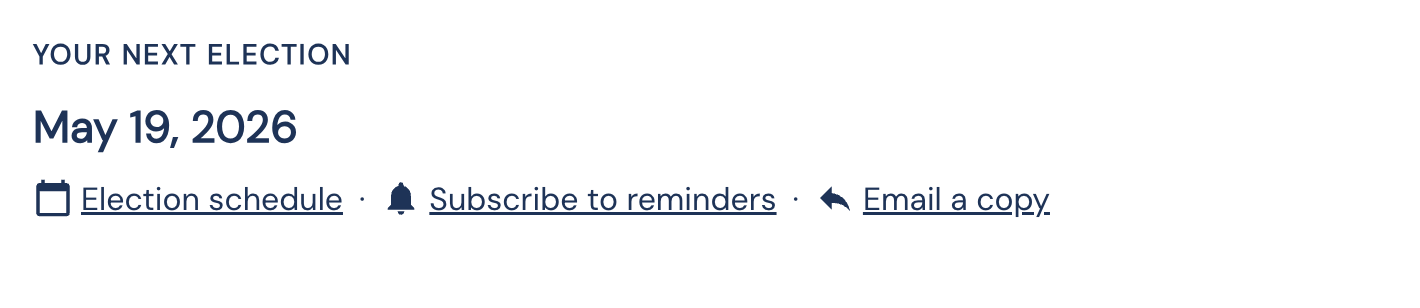
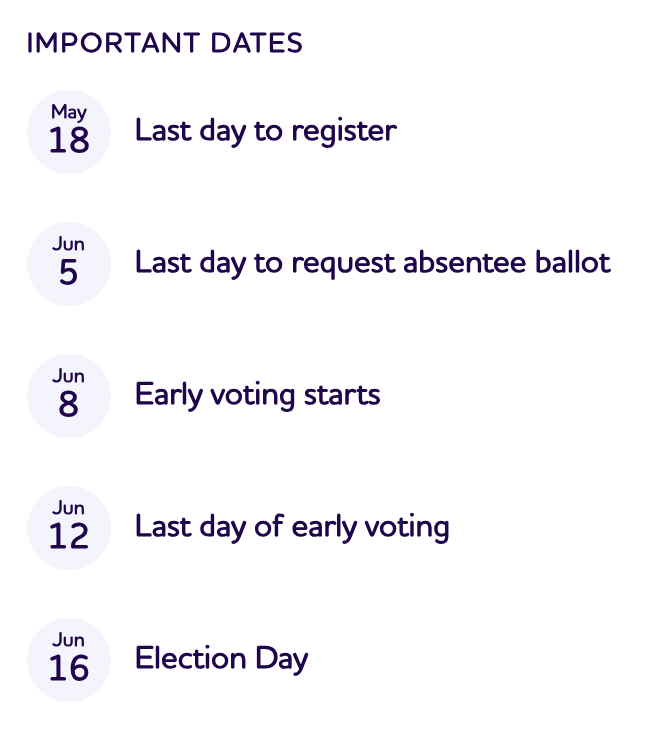
Detailed Election Dates
Detailed date displays can be shown in a modal, drawer, timeline, or expanded section when voters need more context.
For the full election schema, see the Get election by key API specification.
UI Section 3: Races
Candidate contests are available within the ballot's races collection.
ballot.racesEach race contains information about the office being elected, the district it serves, and the candidates participating in that contest.
For the full schema, see the Get race by ID API specification.
Most Important Fields
While the Race object contains many fields, most voter guides only need a small subset.
race.longName- this contains the fully resolved name of the race, including the office, district, and position.race.district.shortName- this contains district information to help disambiguate between similar racesrace.uncontested- this is helpful for showing contested races first.race.descriptionShort- this contains a short explanatory text about what the office does.race.candidates- this contains a slimmed-down version of the full candidate object, for displaying high-level candidate data.
Example Race Card
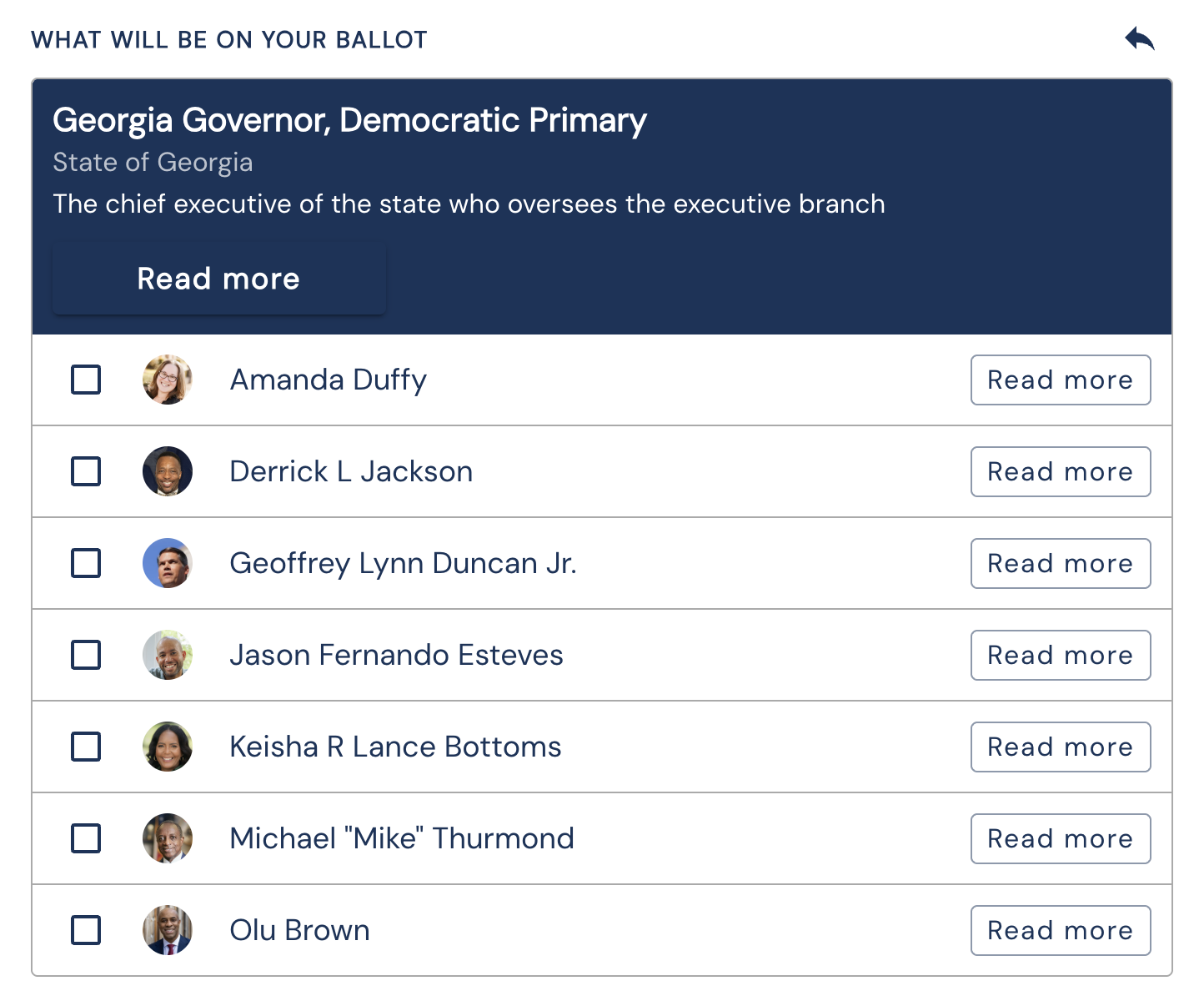
Full Candidate Profiles
The candidate objects returned within ballot races are intentionally lightweight. When a voter navigates to a candidate detail page, retrieve the full Candidate object using the Candidates API.
Recommended Ordering
We recommend displaying ballot content in the following order:
- Contested races
- Ballot measures
- Uncontested races
This ordering prioritizes the decisions where voters have meaningful choices to make.
For the full race schema, see the Get race by ID API specification.
UI Section 4: Ballot Measures
Ballot measures are available within:
ballot.measuresMeasures represent questions, referendums, constitutional amendments, bond proposals, and other issues submitted directly to voters.
Most Important Fields
measure.title: The official title or short name of the measure.measure.ballotText: The language that appears on the official ballot. Many organizations display this in an expandable section to avoid overwhelming voters.measure.whatItMeansandmeasure.whatItMeansHtml: Voter-friendly explanations of the measure added by your team through platform.branch.vote.measure.district: The jurisdiction where the measure appears, useful when a measure only applies to specific voters.
For the full measure schema, see the Get measure by ID API specification.
Related documentation: